

ArtboardKit Lite — Free Photoshop Script
ArtboardKit Lite — Free Photoshop Script
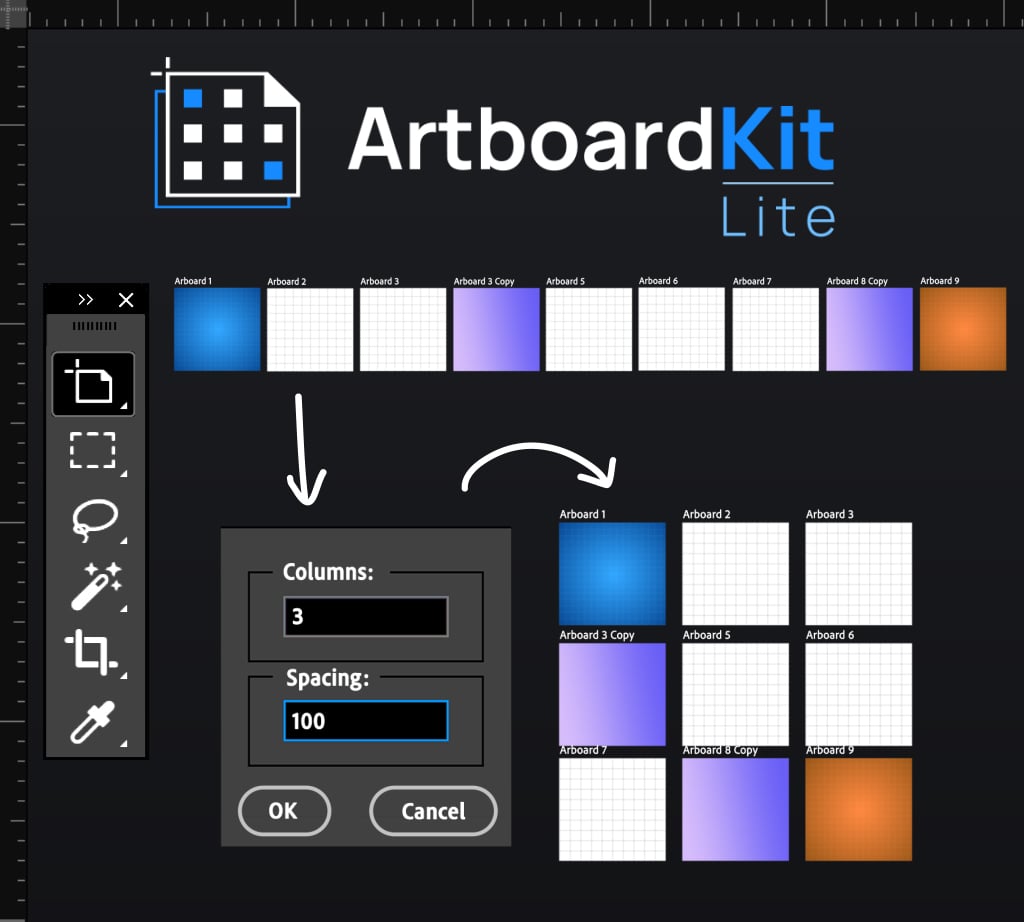
Stop dragging artboards into position one by one. ArtboardKit Lite snaps every artboard in your Photoshop document into a clean grid with one click.
A free script from the maker of ArtboardKit — no subscription, no catch.
WHAT IT DOES
- Arranges all artboards into a clean grid
- Adjustable columns and spacing
- Single-step undo — one Ctrl+Z (Cmd+Z) reverts the operation
- Works in Layers panel order: bottom layer first, left → right, top → bottom
HOW TO INSTALL
1. Download ArtboardKit_Lite-Arrange.jsx
2. In Photoshop: File → Scripts → Browse → select the file
(Or copy it into Photoshop's Scripts folder to make it permanent)
3. Run via: File → Scripts → ArtboardKit_Lite-Arrange
REQUIREMENTS
- Adobe Photoshop 2022 or later
- macOS or Windows
- A document with multiple artboards
WANT MORE?
ArtboardKit Lite is the basic Arrange function from the full ArtboardKit plugin. If you find yourself wanting:
- Live preview before you commit
- Batch rename (wildcards + sequential numbering)
- Sync any layer across every artboard at once
- Multi-scale export (PNG/JPG at 1x, 2x, 3x, 4x)
- A persistent panel in Photoshop instead of menu-diving each time
→ Check out the full ArtboardKit. $18, one-time, no subscription.
Available on the Adobe Marketplace and at artboardkit.co.
ABOUT THE MAKER
ArtboardKit is built by Pedro Miralles, a designer based in Dubai.
The full plugin is officially approved on the Adobe Creative Cloud
Marketplace.
Questions? Email hello@artboardkit.co — direct support from the maker.